Privacy for the people.
Block trackers.
Browse freely.
BlockZeee stops ads, trackers, and fingerprinting scripts — silently, before they reach you. Works on every browser you use.
No subscription. No data collection. Just privacy.
The problem
Every website you visit is watching you.
You're being tracked
Hundreds of invisible scripts record every click, scroll, and pause — then sell that data to advertisers you've never heard of.
Ads stalk you
Look at a pair of shoes once and see ads for them everywhere for weeks. That's not a coincidence — it's a surveillance system.
It slows everything down
Up to 40% of page load time is ad and tracker scripts loading. They drain your battery and eat your data — without your permission.
Features
Everything blocked.
Nothing you asked for.
18 independent features. Turn any of them on or off in one click.
Ad Blocking
Kills video pre-rolls, overlay ads, banner ads, promoted feed items, and 100+ ad networks — before they even load. Videos play instantly, no waiting.
Tracker Blocking
Stops Google Analytics, Facebook Pixel, Hotjar, Segment, Mixpanel, and 250+ other trackers from collecting your behavior.
Fingerprint Protection
Scrambles Canvas, AudioContext, and WebGL signals so you look like a different person to every site.
WebRTC Leak Prevention
Seals the hole that lets websites find your real IP even when you're using a VPN.
Cookie Cleaning
Automatically deletes tracking cookies when you close a tab, so advertisers can't follow you between sessions.
URL Tracking Removal
Strips hidden tracking codes from URLs — utm_source, fbclid, gclid, and 70+ more — before they reach your history.
Telemetry Blocking
Blocks the invisible background reports websites send about your behavior to Microsoft, Sentry, Datadog, and others.
HTTPS Upgrade
Automatically switches insecure HTTP connections to encrypted HTTPS wherever possible.
Video Clean Mode
Hides short-form clips, sidebar recommendations, end cards, and merch shelves on video sites. Disables autoplay. Just the video.
Referrer Stripping
Hides where you came from when clicking a link, so sites can't track your browsing path.
How it works
Three steps. Zero effort.
Install in 10 seconds
Click Add to Browser. No account, no signup, no credit card. It's just there.
It runs silently
The moment you open a tab, BlockZeee is already blocking ads and trackers before the page loads. You don't have to do anything.
See what it blocked
Click the shield icon anytime to see exactly what was blocked on the current page — ads, trackers, fingerprinting attempts, and more.
How we compare
BlockZeee vs. the alternatives.
We don't cut corners on privacy or features.
| Feature |
BlockZeee
|
uBlock Origin | Privacy Badger |
|---|---|---|---|
| Ad blocking | ✓ | ✓ | ✗Learns over time |
| Video-site ad removal | ✓ | ✓ | ✗ |
| Tracker blocking | ✓ 250+ | ✓ | ✓ Heuristic |
| Fingerprint protection | ✓ | ~Extension needed | ✗ |
| CNAME tracker unmasking | ✓ | ~uBO Extra needed | ✗ |
| URL tracking parameter removal | ✓ 70+ params | ~Filter needed | ✗ |
| Cookie auto-cleaning | ✓ | ✗ | ✗ |
| WebRTC leak prevention | ✓ | ✗ | ✗ |
| HTTPS upgrade | ✓ | ~With filter | ✗ |
| Telemetry blocking | ✓ | ~Filter needed | ✗ |
| Referrer stripping | ✓ | ✗ | ✗ |
| Video clean mode | ✓ | ~Filter needed | ✗ |
| Zero data collection | ✓ | ✓ | ✓ |
| No account required | ✓ | ✓ | ✓ |
| All-in-one (no extra extensions) | ✓ | ✗ | ✗ |
| Install Free | Get uBlock | Get Privacy Badger |
✓ = built-in · ~ = possible with manual setup · ✗ = not available
← Swipe to compare →
The popup
Everything you need.
Nothing you don't.
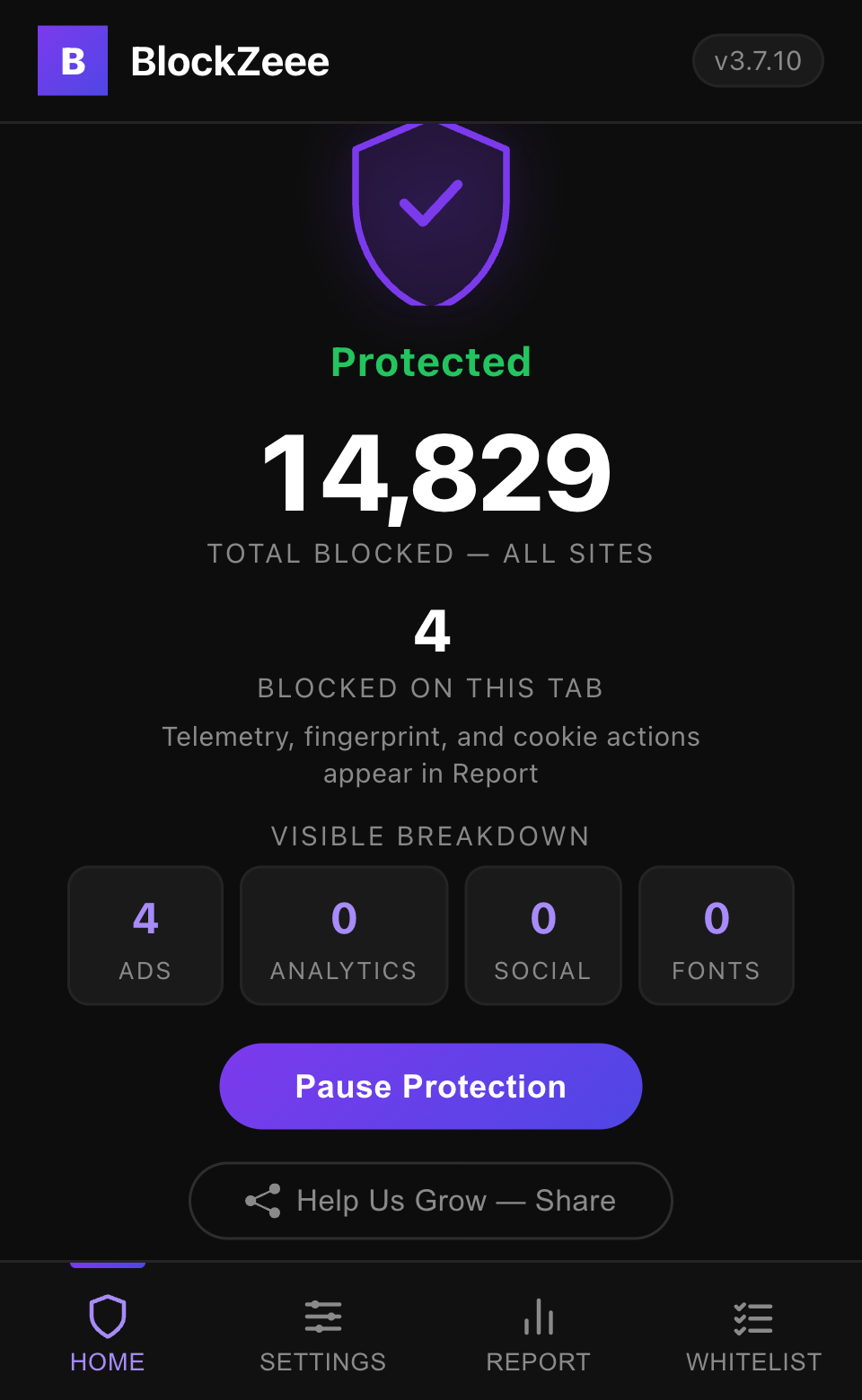
- Live blocked count for the current page
- Privacy score for the site you're on (0–100)
- 18 on/off toggles for every feature
- Whitelist to trust specific sites
- One-tap pause if a site breaks
Our promise
We don't track you. Ever.
BlockZeee works entirely inside your browser. It never sends data to our servers, never phones home, never builds a profile on you. We couldn't track you even if we wanted to — there's no server to send it to.
BlockZeee is independently built and privately maintained. No VC funding, no corporate ownership, no conflict of interest — just a tool that does what it says.
Get BlockZeee
Free. Private. Takes 10 seconds.
Pick your browser. Click install. You're protected.
Chrome and Firefox submissions are in review as of July 2026 — check back soon.
FAQ
Common questions.
Yes — whitelist your password manager's domain. BlockZeee's fingerprint protection randomizes browser signals that password managers use to recognize your device. Without whitelisting, your password manager may not recognize you and keep asking you to verify via email every time you log in.
The same applies to your bank and any site that sends "new device detected" emails.
- Click the BlockZeee shield icon in your toolbar
- Go to the Whitelist tab
- Type the domain (e.g.
lastpass.com,1password.com) and click Add
BlockZeee will be fully disabled on that site only. Everything else stays protected.
Turn off Cookie Cleaning. BlockZeee's cookie cleaning feature automatically deletes cookies when you close a tab — which includes the login cookies that keep you signed in. When you reopen the site, it has no record of you and asks you to log in again.
- Click the BlockZeee shield icon in your toolbar
- Go to the Settings tab
- Toggle Cookie Cleaning off
Everything else — ad blocking, tracker blocking, fingerprint protection — keeps running. Only cookie deletion is disabled.
Alternatively, if you only want to stay logged into one specific site, add it to the Whitelist tab instead. That disables all BlockZeee features on that site only.
Click the BlockZeee shield → hit Pause Protection. If the site works after that, click the Whitelist tab and add the domain. Protection resumes automatically on every other site.
It makes your browser faster. Ad and tracker scripts are blocked before they download, which removes 20–40% of the data a typical webpage loads. Pages render quicker and use less memory.
No. BlockZeee runs entirely inside your browser and never sends your passwords, browsing history, or any other personal data anywhere. It has no server, no account system, and no analytics. The one exception is a non-personal filter-list download used to keep blocking rules current (see our Privacy Policy) — it contains no data about you or your browsing. Everything else stays on your device.
No. BlockZeee removes ads and sponsored content without touching the video player. Videos play normally — just without pre-rolls, overlays, or the promoted junk in your feed.
No catch. No ads inside the extension, no selling your data, no premium tier. Just free, forever. We built this because we were tired of being tracked — same reason you're here.